What Does Adding To Queue Mean On Spotify
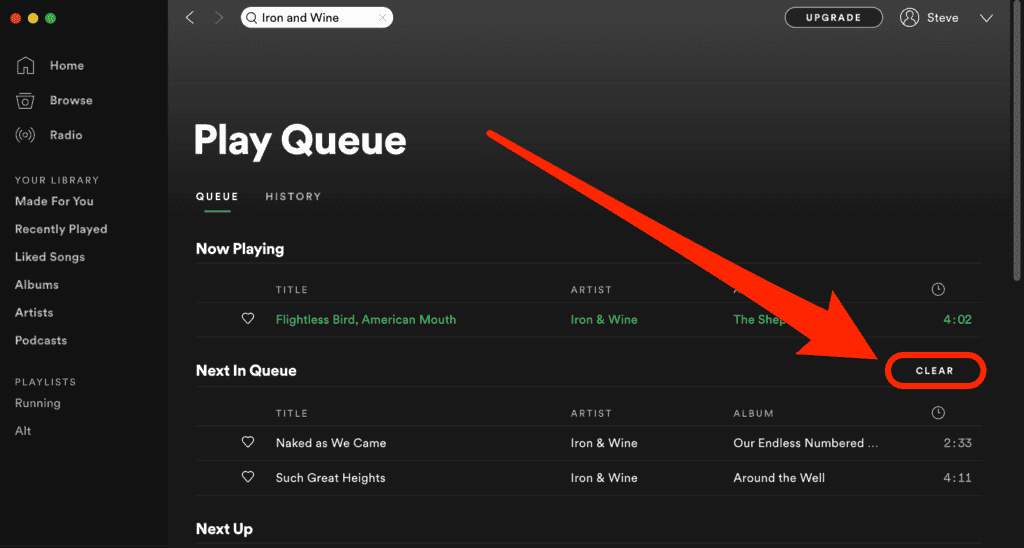
So, you're on Spotify, jamming out to your favorite tunes, and you see this option to add to queue. What does that even mean, right? It's like, are you making a playlist or something?
Well, let's break it down - when you add to queue, you're basically adding a song to a temporary playlist that's going to play next. Think of it like a waiting list for songs, where they just chill until it's their turn to play. It's pretty cool, if you ask me!
But, how does it work?
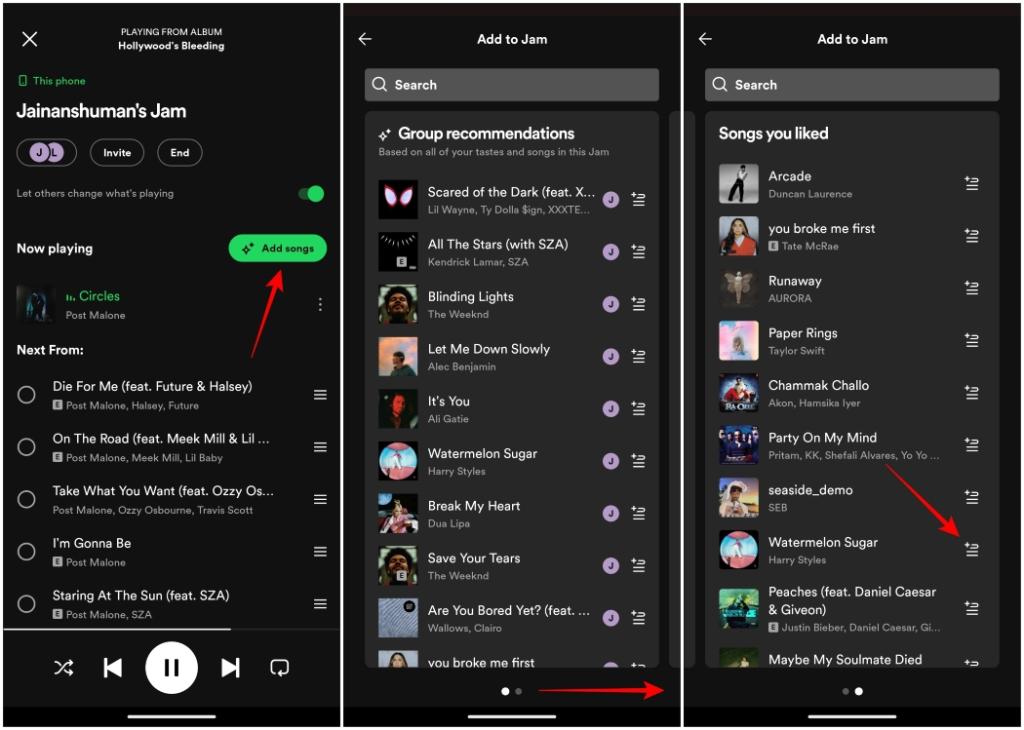
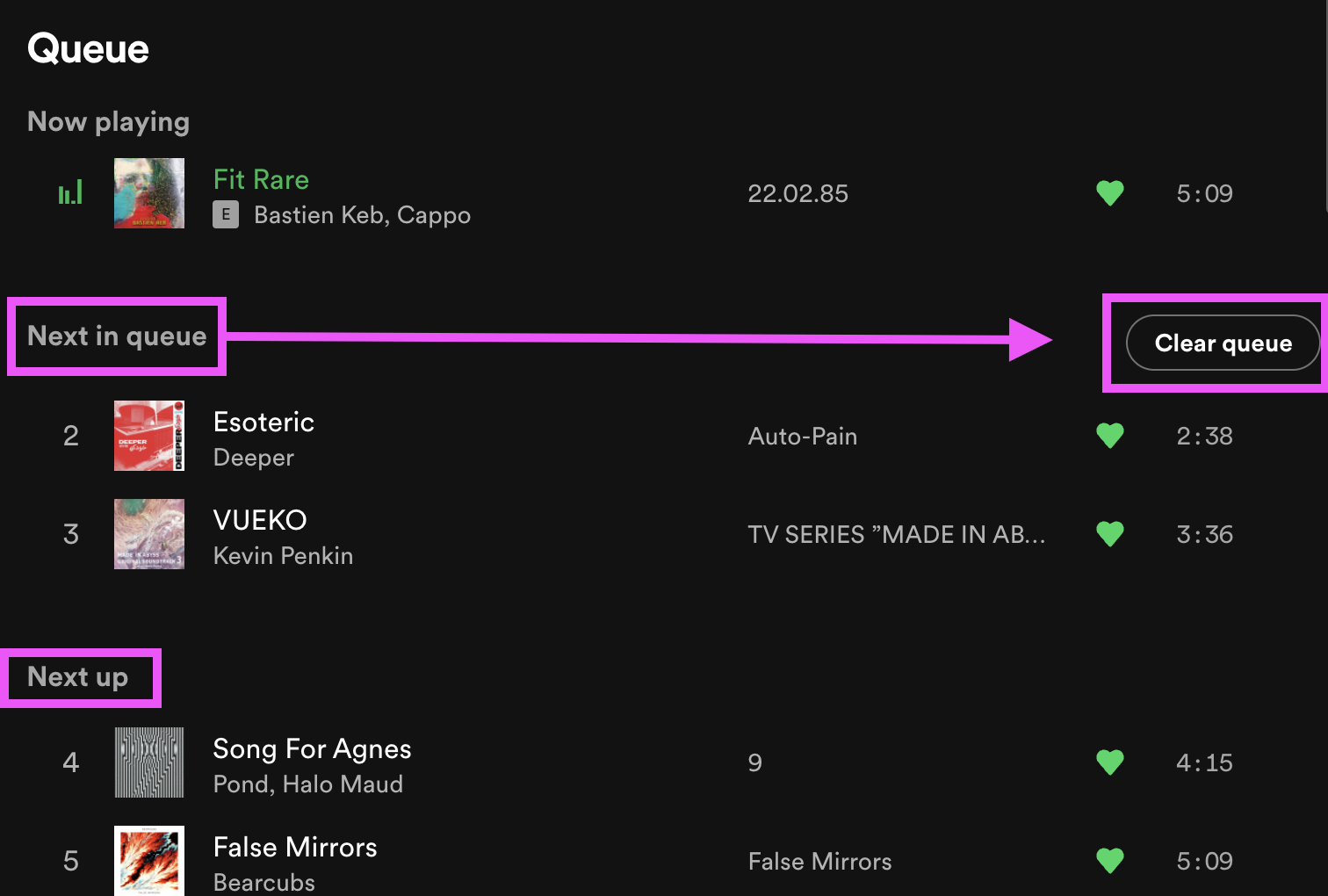
So, when you add to queue, the song gets added to the end of the list, and it'll play after the current song (or playlist) finishes. It's like, you're telling Spotify - "hey, play this song next, please!" And, the best part is, you can add multiple songs to the queue, and they'll all play in the order you added them.
Now, I know what you're thinking - what's the difference between adding to queue and creating a playlist? Well, a playlist is like a permanent collection of songs, whereas a queue is more like a temporary fix - it's just for the moment, you know?
A little tip
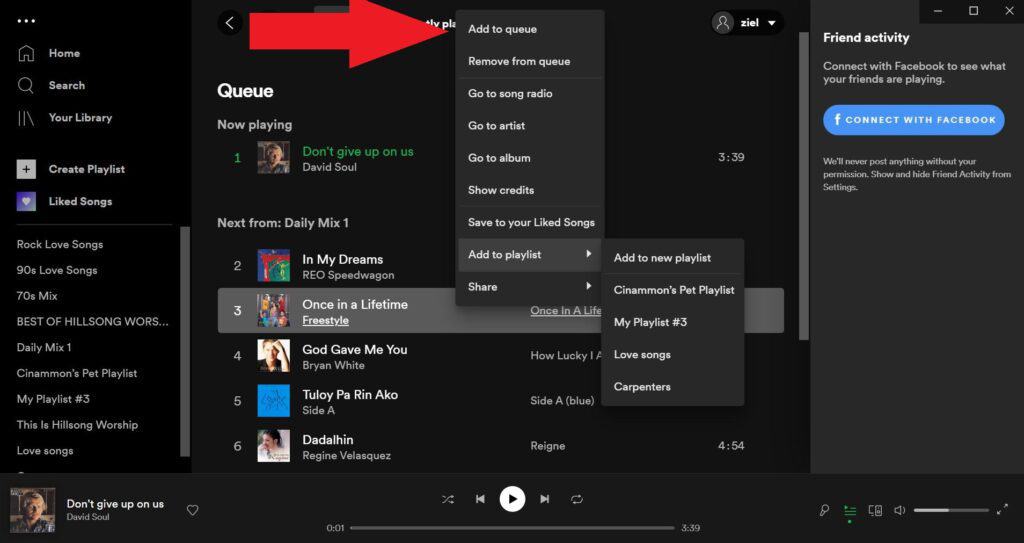
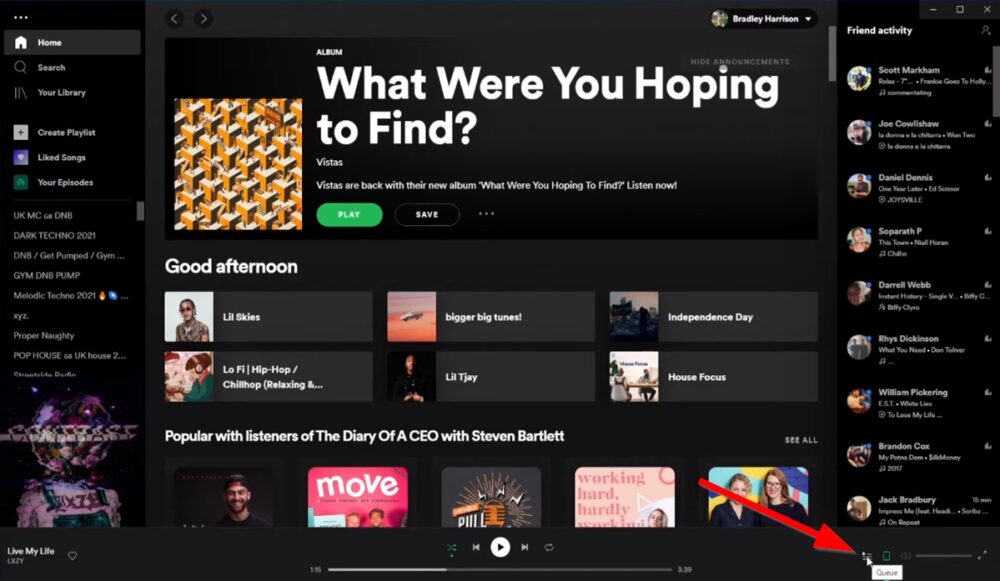
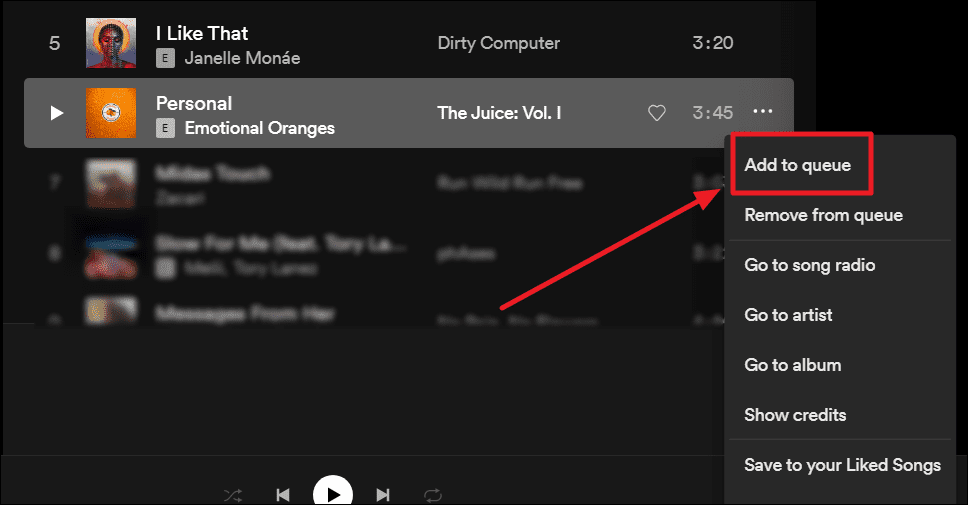
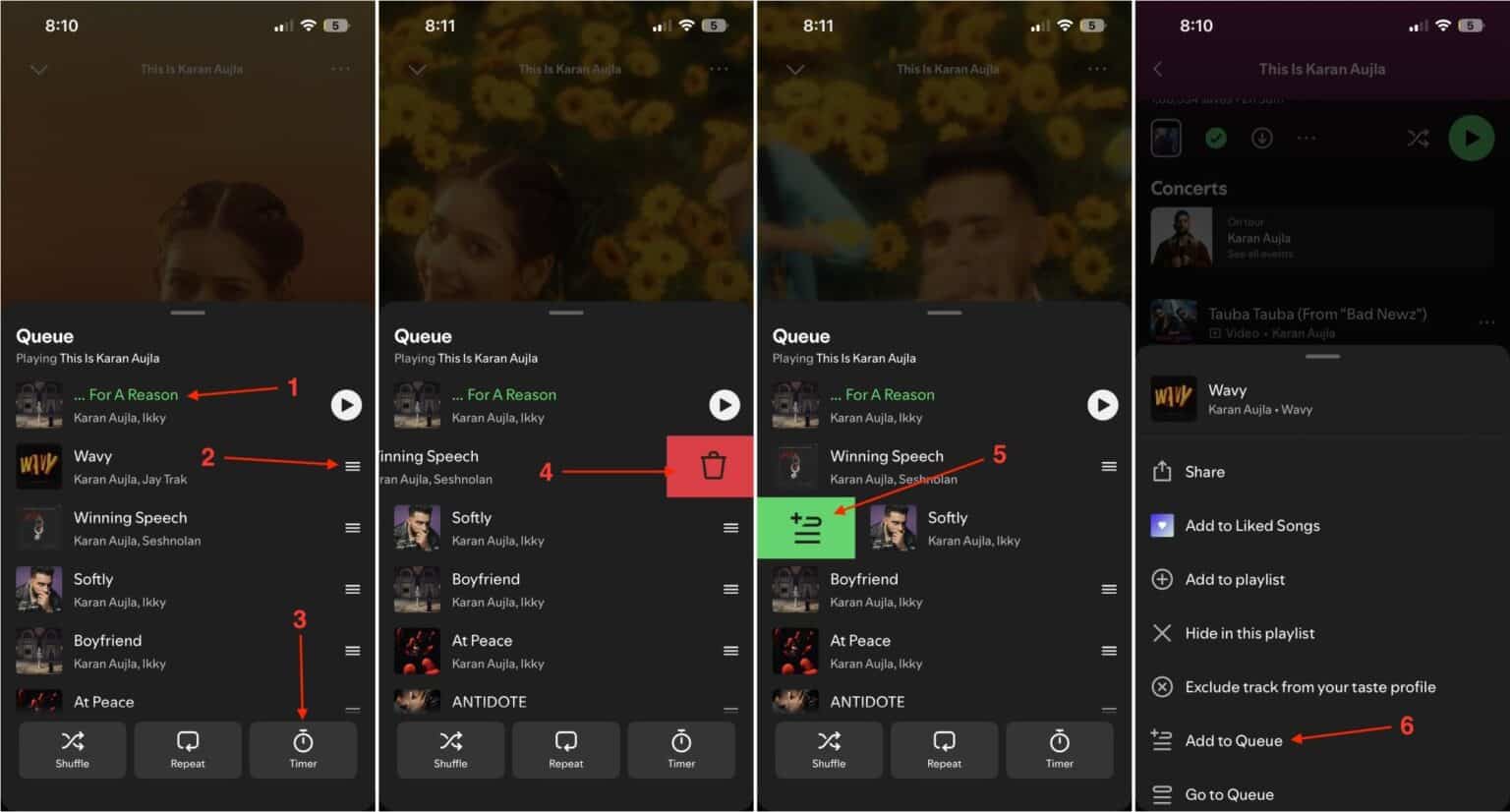
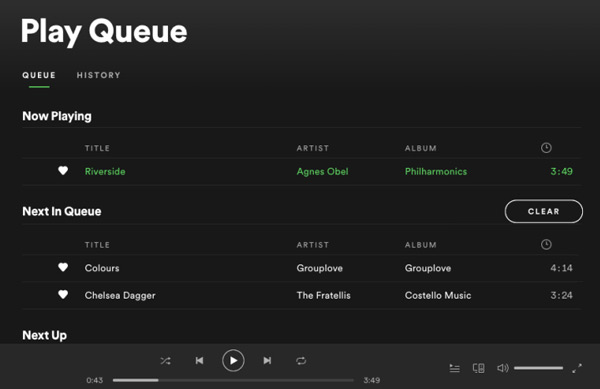
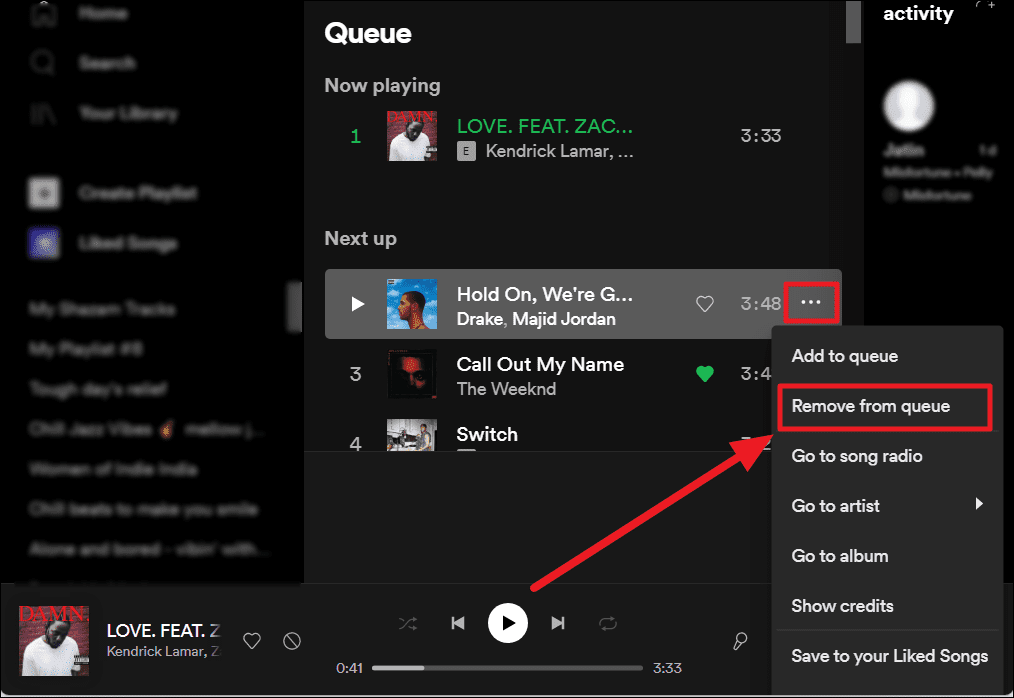
If you want to add to queue quickly, you can just right-click on a song (or click the three dots) and select add to queue. Easy peasy, lemon squeezy! And, if you want to see what's in your queue, you can just click on the queue tab, and voilà - all the songs you've added will be there.
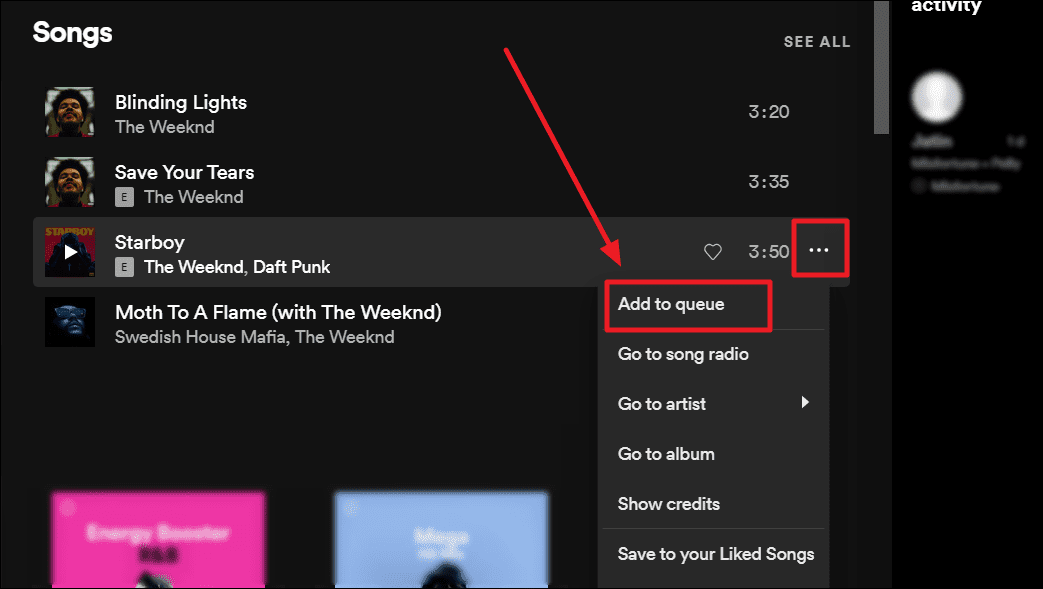
So, there you have it - adding to queue on Spotify is like, super easy and convenient. It's perfect for when you're in the mood for something specific, but don't want to create a whole new playlist. Give it a try, and see how it goes!
And, just to recap - adding to queue is like, a temporary playlist that plays next, whereas a playlist is permanent. Got it? Now, go forth and Spotify like a pro!